Auto Refresh for Cryptocurrency Monitoring: Real-Time Price Tracking Guide

Table of Contents

Introduction
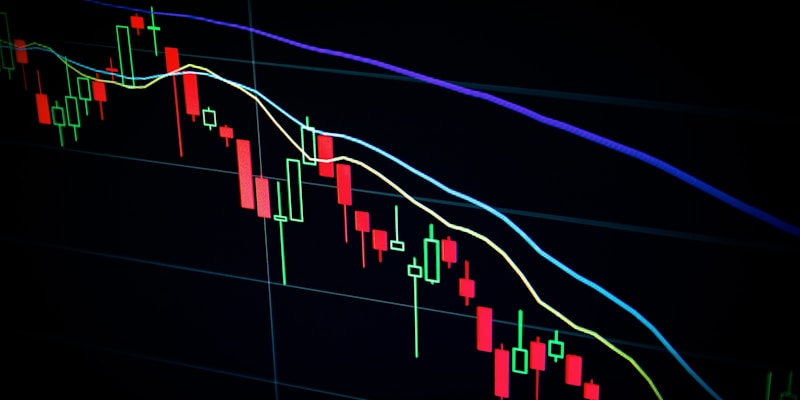
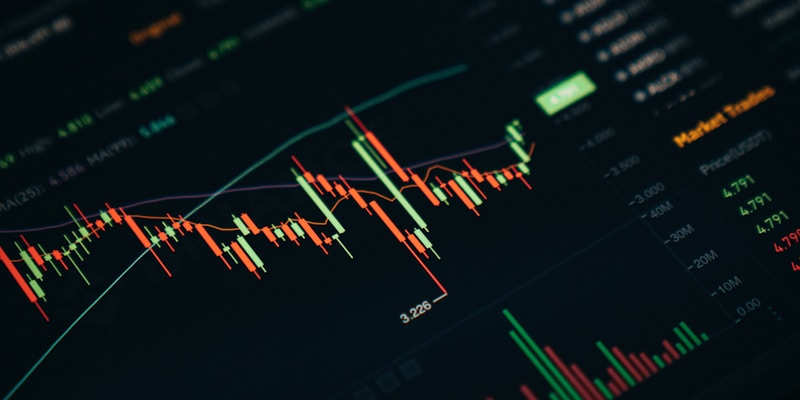
The cryptocurrency market never sleeps, operating 24/7 across global exchanges. For traders and investors, staying updated with real-time price movements is crucial. Auto refresh tools transform your browser into a powerful cryptocurrency monitoring station.

This guide shows you how to leverage automatic page refresh for effective cryptocurrency monitoring - whether tracking Bitcoin, monitoring Ethereum holdings, or watching multiple altcoins.
Why Auto Refresh for Crypto
The Crypto Market Never Stops
Unlike traditional stock markets with trading hours, cryptocurrency markets operate continuously:
- 24/7 Trading: Price changes can occur at any time
- Global Markets: Volatility from different time zones
- High Volatility: Significant price swings within minutes
- Market-Moving Events: News impacts prices instantly
Advantages Over Mobile Apps
Browser-based monitoring offers distinct advantages:
- Multi-Platform Views: Monitor exchanges, news sites, and social sentiment simultaneously
- Larger Display: See detailed charts and order books clearly
- Extension Integration: Combine auto-refresh with other productivity tools
Key Monitoring Metrics
| Metric | Importance | Refresh Need |
| Spot Price | Critical | High (5-15s) |
| 24h Volume | High | Medium (30-60s) |
| Order Book | Critical for traders | High (5-10s) |
| Market Cap | Medium | Low (5-10 min) |
|---|---|---|
| News & Sentiment | High | Medium (1-2 min) |
Best Platforms to Monitor
Exchange Platforms
Coinbase Pro/Advanced: Clean interface, real-time order book updates. Recommended interval: 10-15 seconds.
Binance: Comprehensive trading view, multiple chart timeframes. Recommended interval: 10-20 seconds.
Kraken: Detailed market data, multiple fiat pairs. Recommended interval: 15-30 seconds.
Price Aggregators
CoinGecko: Comprehensive price data, multiple exchange averages. Recommended interval: 30-60 seconds.
CoinMarketCap: Industry standard tracking, portfolio features. Recommended interval: 30-60 seconds.
TradingView: Advanced charting, technical indicators. Recommended interval: 15-30 seconds.
Whale & Transaction Trackers
Whale Alert: Large transaction monitoring, exchange flow tracking. Recommended interval: 30-60 seconds.
Optimal Refresh Intervals
By Trading Style
Day Trading (Active):
- Primary chart: 5-10 seconds
- Order book: 5-10 seconds
- News feed: 30-60 seconds
Swing Trading:
- Price tracker: 30-60 seconds
- News and analysis: 2-5 minutes
Long-term Holding (HODLing):
- Portfolio tracker: 5-10 minutes
- News sources: 10-15 minutes
By Asset Volatility
High Volatility Assets (Meme coins, small caps): 3-15 seconds during active periods.
Medium Volatility (Major altcoins like ETH, SOL): 10-60 seconds.
Lower Volatility (Bitcoin, stablecoins): 15 seconds to 2 minutes.
Platform Rate Limits
| Platform | Approximate Limit | Safe Interval |
|---|
| Binance | ~10 req/second | 10+ seconds |
| Coinbase | ~10 req/second | 10+ seconds |
| CoinGecko | ~50 req/minute | 15+ seconds |
Multi-Exchange Monitoring Setup
Browser Tab Organization
Workspace 1: Primary Trading
- Tab 1: Main exchange trading view (5-10s refresh)
- Tab 2: Backup exchange (10-15s refresh)
- Tab 3: TradingView chart (15-30s refresh)
Workspace 2: Market Overview
- Tab 1: CoinGecko top 100 (60s refresh)
- Tab 2: Fear & Greed Index (5 min refresh)
Workspace 3: News & Alerts
- Tab 1: Crypto Twitter/X feed (30-60s refresh)
- Tab 2: News aggregator (1-2 min refresh)
Setting Up Tab Reloader for Crypto
1. Download from Chrome Web Store
2. Navigate to each crypto page and set individual intervals
3. Enable keyword alerts for price target monitoring
Price Alert Configuration
Using Keyword Alerts for Crypto
Tab Reloader's keyword detection becomes powerful for crypto:
Target Price Alerts: Monitor page source for specific numbers. Set alerts for price milestones.
Percentage Change Alerts: Watch for "+5%" or "-5%" text to detect unusual volatility.
Status Change Alerts: Monitor for "All-time high", "24h low", or "Breakout" text.
Multi-Level Alert System
Tier 1 - Informational: Minor price movements with sound alert.
Tier 2 - Important: Significant price targets with sound + visual alerts.
Tier 3 - Critical: Major portfolio thresholds with all notifications.
Frequently Asked Questions
Explore our complete feature guide to learn about all Tab Reloader capabilities for crypto monitoring.
Effective cryptocurrency monitoring requires the right tools and optimal configuration. With Tab Reloader's auto-refresh capabilities, you can build a professional-grade monitoring station.
Set up your crypto monitoring dashboard today with Tab Reloader!
Frequently Asked Questions
How often should I refresh crypto price pages?
For active trading, refresh every 5-15 seconds. For casual monitoring, 30-60 seconds is sufficient. During high volatility events, shorter intervals may be beneficial.
Can auto refresh help me catch crypto price dips?
Yes! Combined with keyword alerts, auto refresh can notify you when prices drop to specific levels. Set up alerts for price thresholds to catch buying opportunities.
Will auto refresh work on all cryptocurrency exchanges?
Most major exchanges like Coinbase, Binance, and Kraken work well with auto refresh. Some exchanges have rate limiting that may temporarily block frequent refreshes.
How do I monitor multiple cryptocurrencies simultaneously?
Open separate tabs for each cryptocurrency or portfolio view. Use different refresh intervals for each based on volatility.
Can I set up alerts for specific crypto price levels?
Yes, using Tab Reloader's keyword alert feature. Monitor price tracking pages and set alerts for specific numbers or text.